

AI Receptionist
While your hands are busy, the receptionist picks up, answers from your approved prices and policies, books a slot that really exists, and brings in a person when a call needs one.
Your data, your approved answers, one phone number per location.
A booking call
A sample call: a client asks for a gel manicure on Saturday afternoon, the receptionist checks the calendar, offers two times, holds the chosen one, reads the booking back, confirms it with a booking code and sends a text.
Hi, do you have anything for a gel manicure this Saturday afternoon?
Let me check Saturday for you. I have 1:30 and 3:15 open — which works better?
3:15, please.
I'm holding 3:15 for you. Can I get your first name?
It's Linh.
So that's a gel manicure at Maple Nail Studio, Saturday at 3:15 PM, for Linh. Shall I book it?
Yes, please.
You're booked. Your confirmation code is MNS‑4K2Q, and a text with the details is on its way.
When the phone rings
The receptionist knows which salon is ringing, checks your hours and holidays, and sends the call where you decided it should go.
During opening hours, with your approved prices, policies and calendar in front of it.
Outside your hours or on a holiday it takes a message or voicemail and creates a callback task for your team.
When the call needs a human, it transfers to your staff with the reason and a summary attached.
Prices, hours, policies
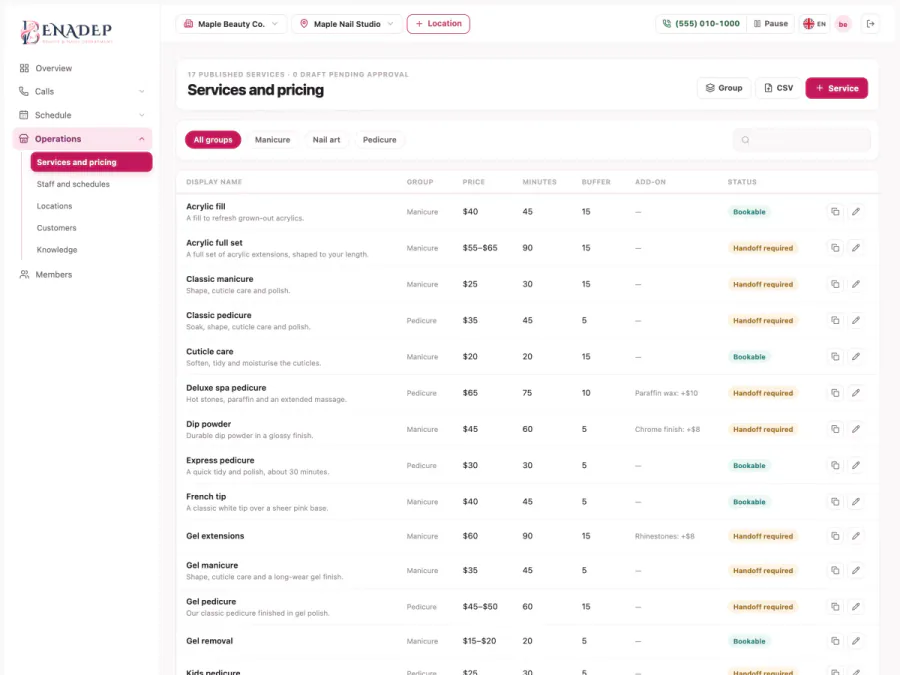
Clients ask the same things all day. The receptionist answers from your salon's own data and the documents you signed off — and asks again or hands the call over when it does not know.
Read straight from the services and location you set up in the Console.
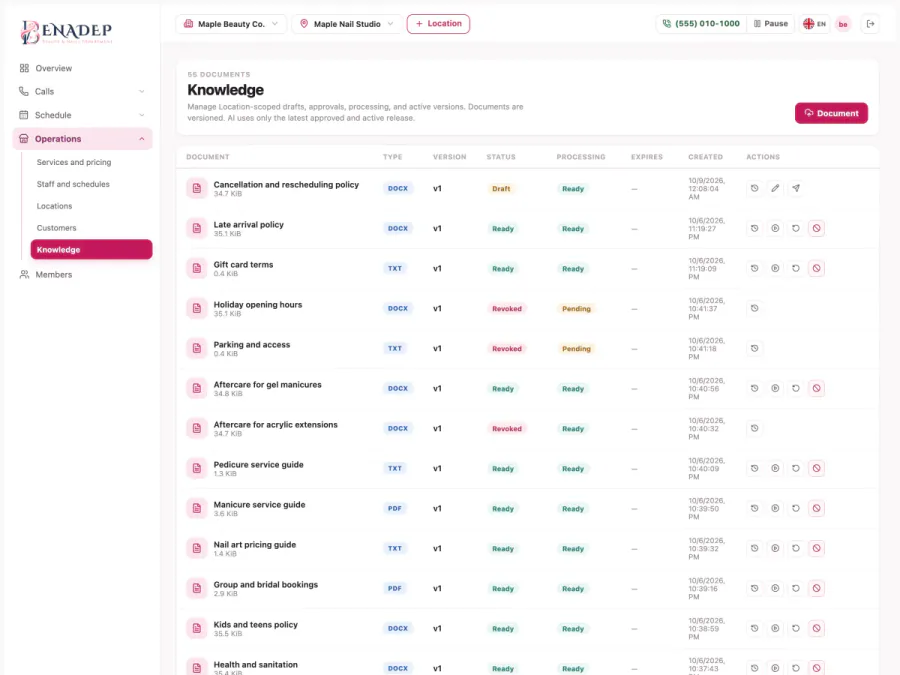
Found in the documents you uploaded and approved — PDF, DOCX or TXT.
It asks again or brings in a person. It does not guess.
What you can count on

Booking
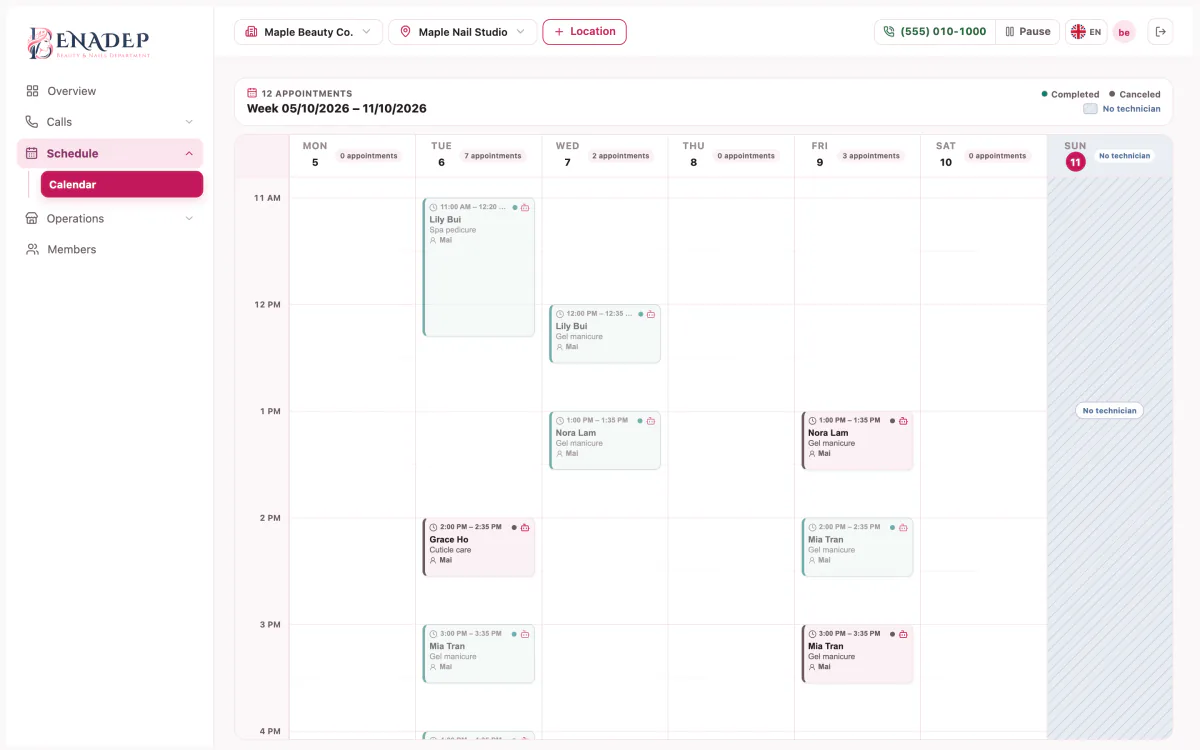
The receptionist asks for the service, the day and time, and a name. The calendar does the rest: durations, buffers, hours, your time zone, and which technician can do the work.
Free slots come from the service's duration and buffer, your opening hours and each technician's skills and shifts.
A hold is temporary; if the client hangs up or takes too long, the slot is released on its own.
Name, service, location, day and time — the client says yes before anything is created.
What you can count on
Changes
Plans change. The receptionist finds the client's bookings by their phone number, reads back the one they mean, and only then changes it.
Only bookings at the location they called, and if several match it asks which one.
The old slot is released and the new one held together, so a failure never loses both.
The slot is freed and the first person waiting for it is invited to take it.
What you can count on
Handing over
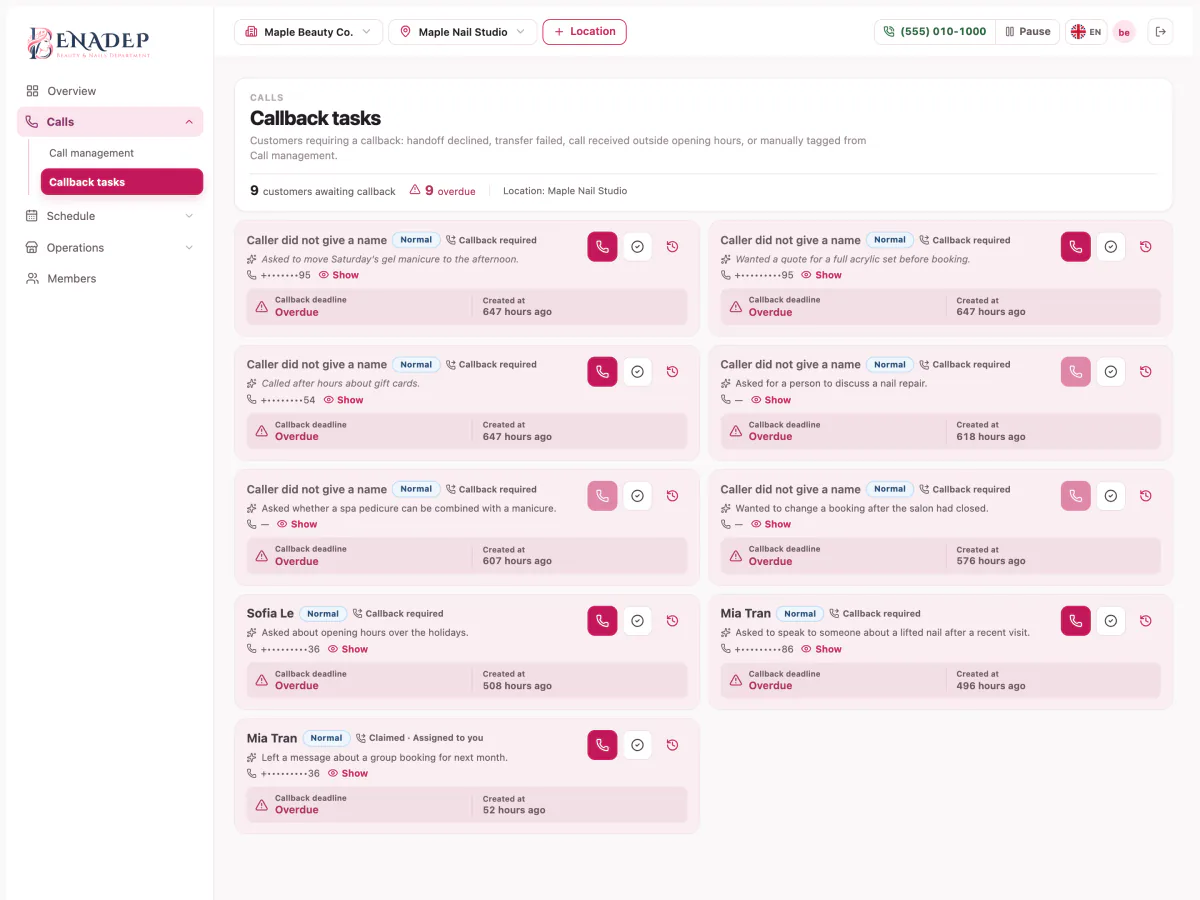
Some calls should not be handled by software. The receptionist recognizes them and brings in your team with the reason, a summary and the caller's number.
The client asks for a person, a service needs a consultation or is not booked online, the data is missing, the line stays unclear after several tries, or booking hits an error.
The reason, a summary and the client's number arrive before the call does.
Each task has a due time and shows as overdue once it passes; a team member claims it, calls back and closes it.
What you can count on

Texts and privacy
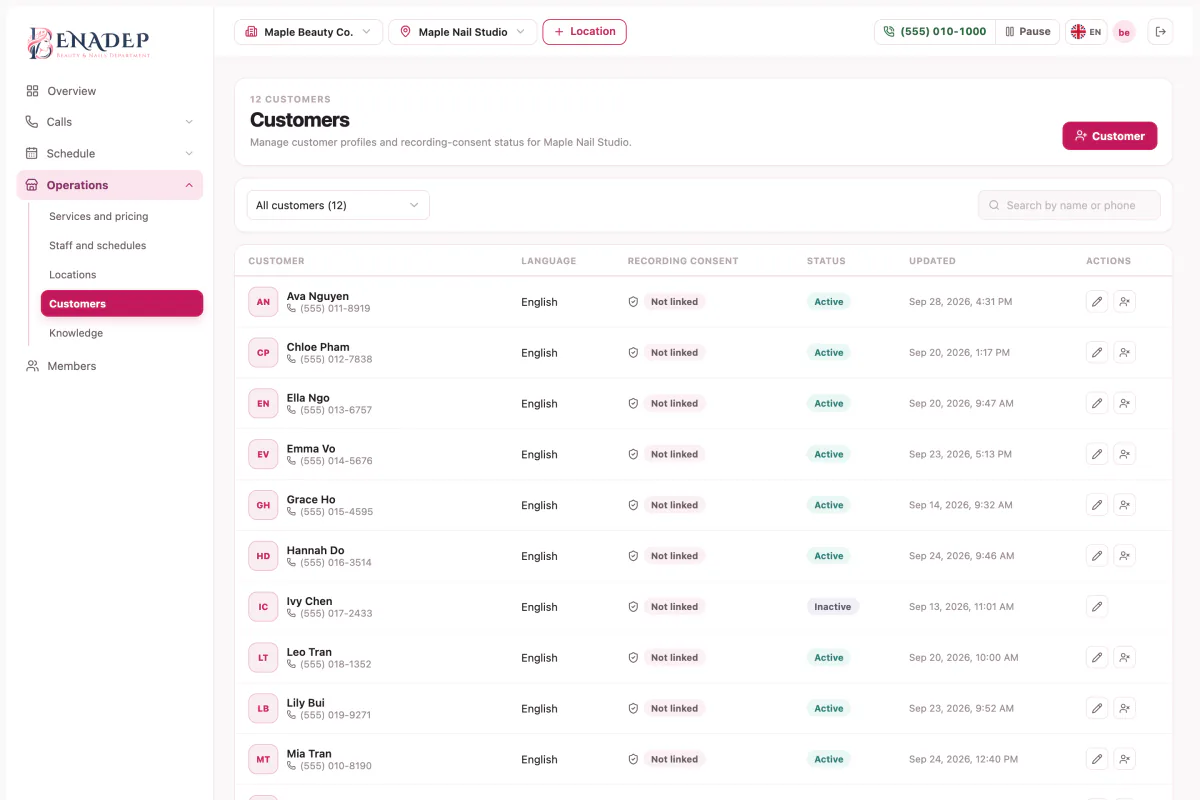
Clients hear that the call is recorded before anything is stored, and they get a text once their booking is real.
Behind the desk
Six steps in the Console, and the receptionist has everything it needs. A second location is just more data — the conversation does not change.
Address, time zone, opening hours and holidays.
Search for a local number with voice and text, see the monthly fee before you confirm, and attach it to the location.
Add them one by one or import a CSV: upload, match the columns, preview, confirm. Mark what is bookable and what needs a person.
Who does what, their shifts and their days off.
Upload PDF, DOCX or TXT, approve it, switch it on.
Try it by chat or by voice, then turn on real calls.
Your day at a glance
The Console shows what happened on the phone while you were working.
Calls, new bookings, how many were handed to a person, errors, and what clients were calling about.
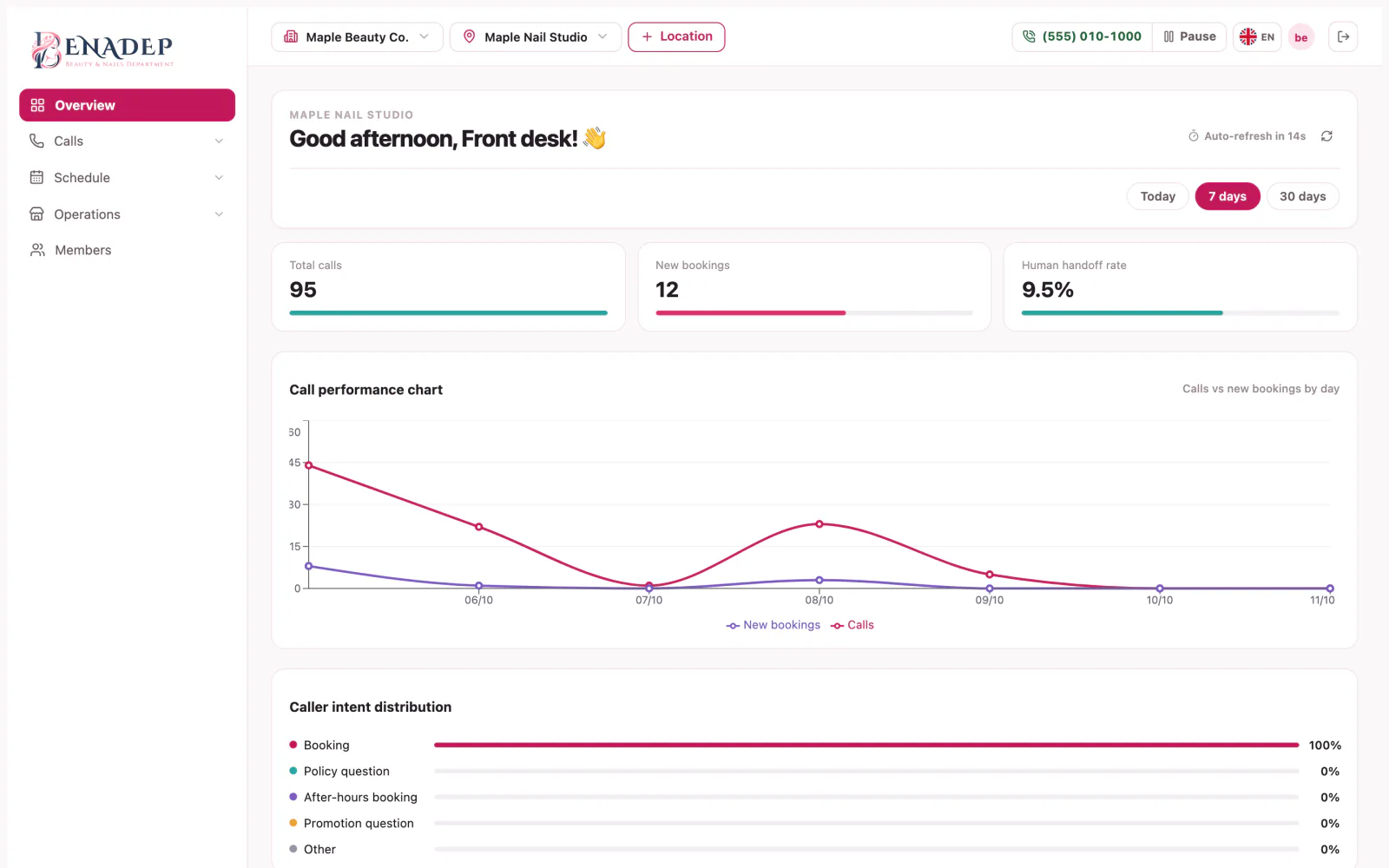
Call minutes, texts and bookings are recorded per location for billing.
FAQ
Straight answers about what the receptionist does and does not do.
It announces recording before anything is stored. If the client agrees, the transcript and audio are kept; if they decline or are unclear, only the transcript is. Your staff can read transcripts but cannot play or download audio.
No. Slots are held while a client decides and created only once, even when two people call at the same moment or a connection drops and retries.
The receptionist takes a message or voicemail and creates a callback task for your team.
Yes. Each location has its own phone number, hours, services, technicians and settings. Adding one means entering its data, not changing how the receptionist talks.
Yes. Bookings your staff enter in the Console follow the same rules as the receptionist's, so two bookings cannot take the same slot.
It asks the client again or hands the call to a person. It only answers from the data and documents you approved, and it does not guess.
The reason for a handover, a summary and the client's number before they pick up; callback tasks with due times; the calendar; and transcripts they can read for a callback.
After a booking, change or cancellation succeeds, the client receives a confirmation text. For a booking made on a call, it follows the call's language.

Set up your location, services and policies once, run a test call, and switch it on.
Try AI Receptionist (opens in a new tab)